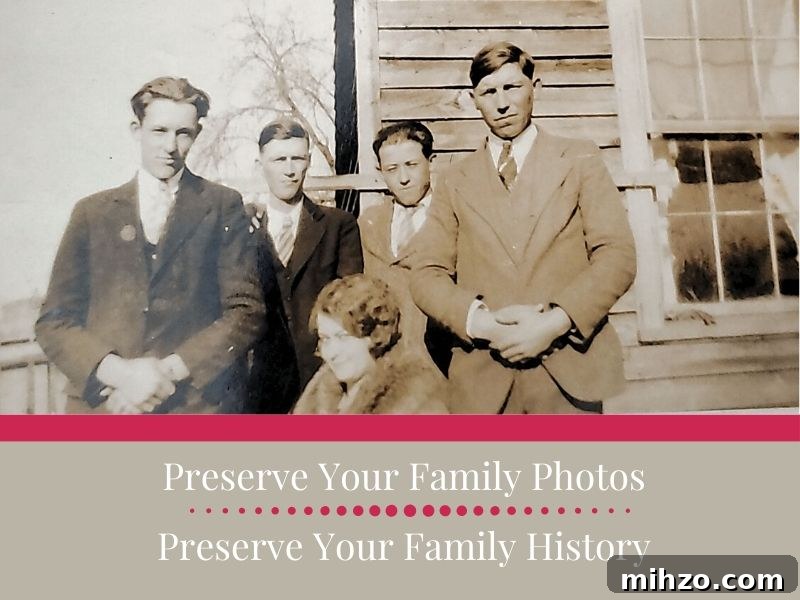
An easy way to scan and preserve your family photos so memories are protected for future generations. Use the Photomyne app to begin scanning!
[This post is sponsored by Photomyne. I received a complimentary subscription, but all opinions are my own. I recommend only products and services I use and believe you’ll find useful. Please see my disclosure and privacy policy for details.]
My scanning project began with a single photograph.
I recognized the older woman as my great-great-grandmother, Clara Holt Haley, but the man and little boy were unidentified. I had just started researching our family and posted the photo on my blog hoping someone might recognize them.
A few months later an anonymous reader left a comment identifying the woman as his grandmother. That led to more photos being shared and, eventually, to the reader revealing he was my grandmother’s first cousin. Through that connection I met more relatives and gathered oral histories from family members who are no longer with us.
That discovery led my dad and me to attend a Haley family reunion in southern Virginia—his first in sixty years—all because I took a photo out of a box of hundreds and posted it online.
What might be hiding in your boxes of family photos? Old albums and loose prints can hold clues and connections you don’t yet know about.
Preserving Old Family Photos Leads to Increased Family Connections
Many family historians inherit boxes of unlabeled photographs. While exciting, unlabeled images often leave us missing the stories and relationships those photos hold. Old photos are conversation starters—showing a picture can help break the ice, prompt memories, and open the door to oral history that might otherwise be lost.
Tip: When possible, give copies of the photos to relatives you interview. It’s a great way to share discoveries and preserve memories for others.
Preserving the physical print matters—older photos are fragile and should be handled and stored properly. Digitizing images is equally important: it creates backups, makes sharing simple, and helps ensure those memories survive for future generations. If you have boxes full of photos, digitization can turn “maybe someday” into tangible progress.
With more time at home in spring 2020, I started digitizing my collection and made steady progress. If you want to do the same, here’s how I approach the project with minimal fuss.
Let’s do this together.
My Favorite Tool For Scanning Family Photos
The best scanner is the one you’ll actually use. Flatbed scanners work well (avoid automatic feeders for older prints), and taking photos of photos is an option too. I prefer a faster, simpler method that reduces steps so I actually finish the job: the Photomyne app.
Photomyne is fast and easy. I scanned ten photos and emailed them to family in under five minutes. The app runs on Android and iOS, so your phone becomes a portable scanner.
- Auto-cropping and image detection
- Scan multiple photos at once—ideal for photo albums
- Organize scans into albums with titles and descriptive notes
- Optional web platform for storing and sharing (available with paid plans)
Photomyne’s free version offers useful features but limits the number of scans and does not include cloud storage or the dedicated web platform. Upgrading to a premium account removes limits, adds unlimited scanning, and provides a “Free Up Storage Space on This Device” option—handy when you’re scanning many photos.
Ready to begin? A few practical tips:
- Work in small batches—set a daily or weekly scan goal.
- Group scans by family or album to keep context intact.
- You don’t need to digitize every single photo; discard clearly poor or damaged images if they hold no historical value.
- Label files as you go. Consistent filenames and notes save time later.
How To Digitize Family Photos Using the Photomyne App
First, download and open the Photomyne app (Android or iOS). The basic features are free.
Tap “New Album.” Hold your phone over the photograph and press the scan button for three seconds. The app detects and crops the images automatically.
Use the app controls to add more photos to the album, edit images, and share scans. Inside an album you can add names, dates, locations, and notes to preserve context for each photo.
Share the photos. Sharing is a key reason to digitize. The more eyes that see unidentified people or places, the better the chances of identifying them. The app makes it simple to share via email or social platforms.
Another Scanning Option for You
If your collection includes film negatives or slides, Photomyne offers additional apps: FilmBox for scanning negatives and SlideScan for slides (currently available on iOS). These tools convert older formats into digital images you can add to your albums.
Take the Scanner With You
Heading to a family reunion? Ask relatives to bring their photos and offer to scan them on the spot. With a phone-based scanner you can digitize, tag, and share images immediately, returning copies to relatives and collecting stories while memories are fresh.
Never underestimate the power of a photograph and the story behind it.
Preserve the photo. Preserve the stories. Preserve the family history.
Other Posts About Old Family Photos You May Be Interested In:
- Tips & Resources To Find Old Family Photos
- Identify Old Family Photographs – Who IS That Couple?
- How to Identify 5 Types of Old Photographs